iEmoji articles
Want to Talk in a Secret Emoji Code?
Use old iOS 2.2 emoji codes to write messages that look like nonsense until someone pastes them back into iEmoji.
You can. A little backstory first: back in iOS 2.2, circa 2010, people were using emoji that nobody could see.
Only iPhones could see it. You had to download an app to even use the special Emoji. In 2.2 Emoji codes were not standardized. They were based on the original Softbank Emoji set grabbed random unicode characters with no meaning to represent the images on Softbank phones. Emoji was born.
Shortly after, in iOS 4, Emoji got updated to standard codes and the secret Emoji code that iPhones had going was lost forever. OR WAS IT.
You can still generate these secret codes that only iOS 2.2 could decode. Only you and the person you send the message to will know how to decode the message, if you tell them.
Once you have the secret iOS 2.2 codes, paste them in the iEmoji text box and it converts them into viewable Emoji images. But how do you get the secret codes?
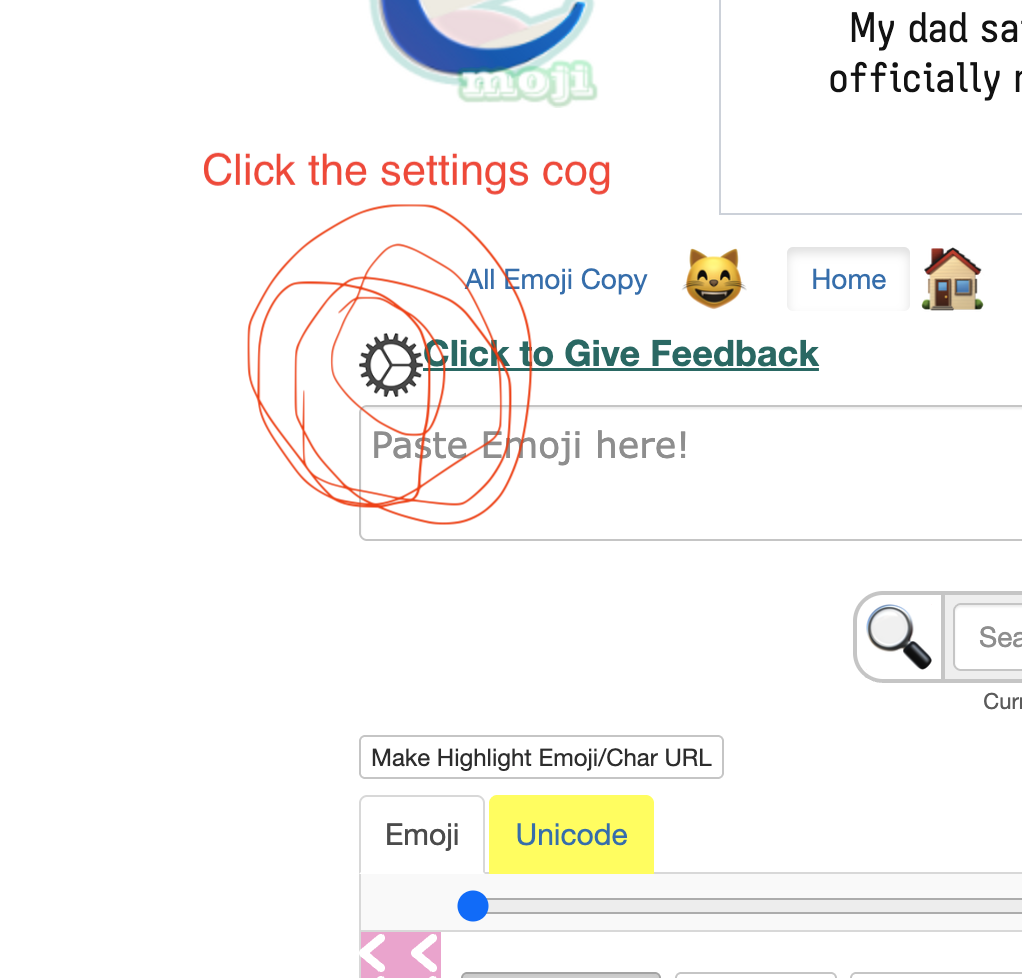
Switch to iOS 2-4
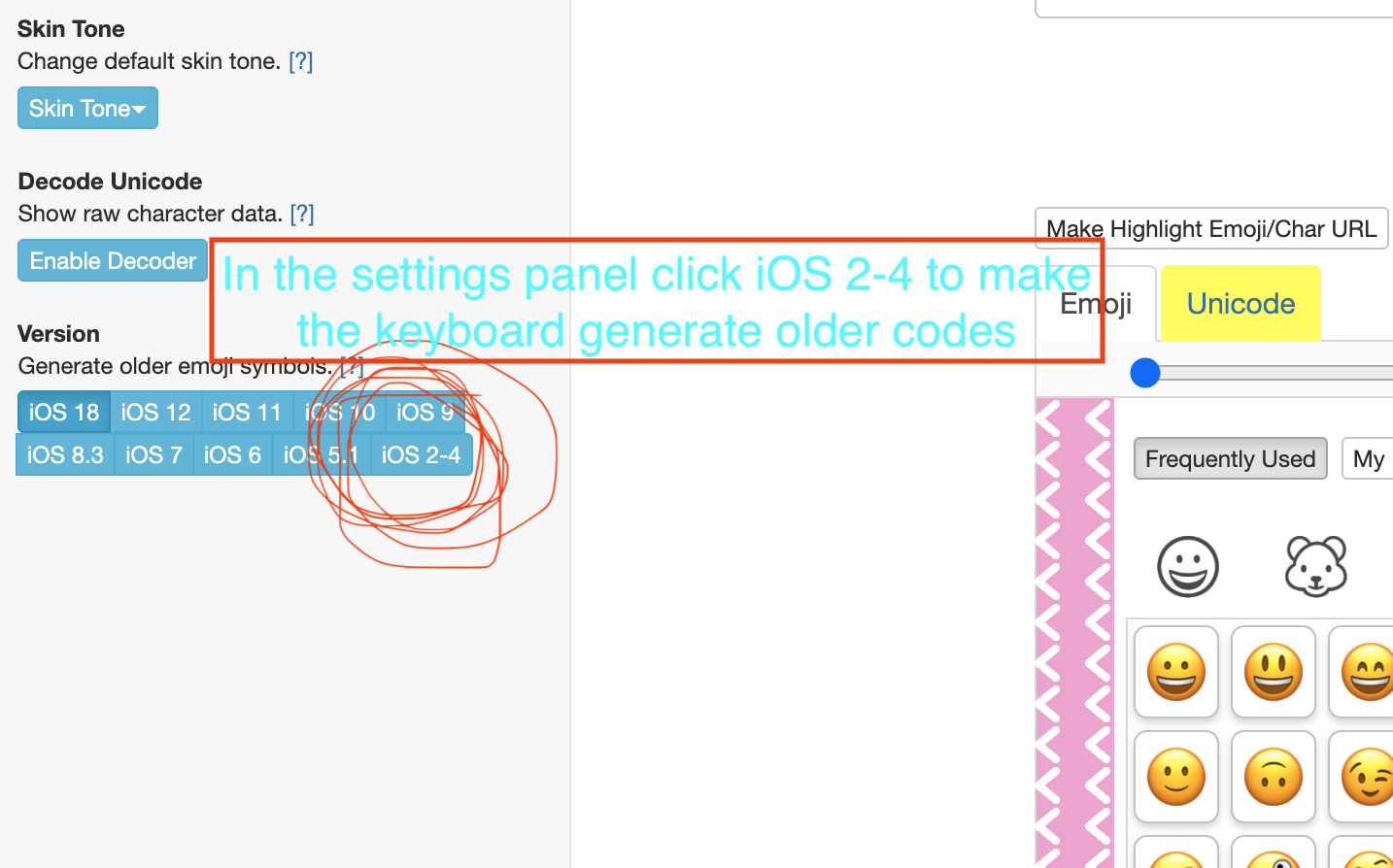
In the Settings Panel click iOS 2-4 to make the keyboard generate older codes.
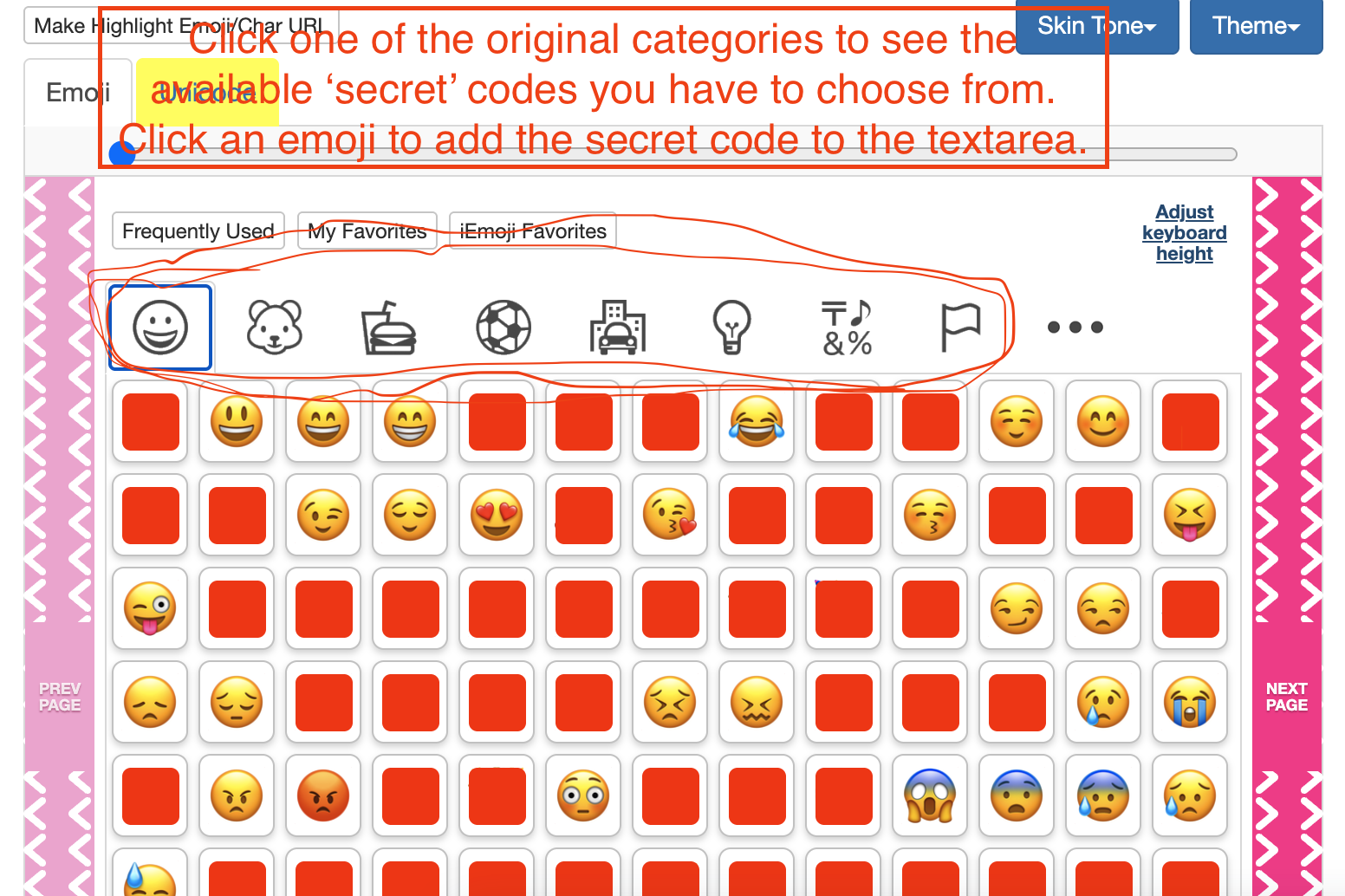
Choose Original Emoji
Click one of the original Emoji categories to see the available secret codes you have to choose from. In iOS 2.2 there were less available emoji.
Copy and Decode
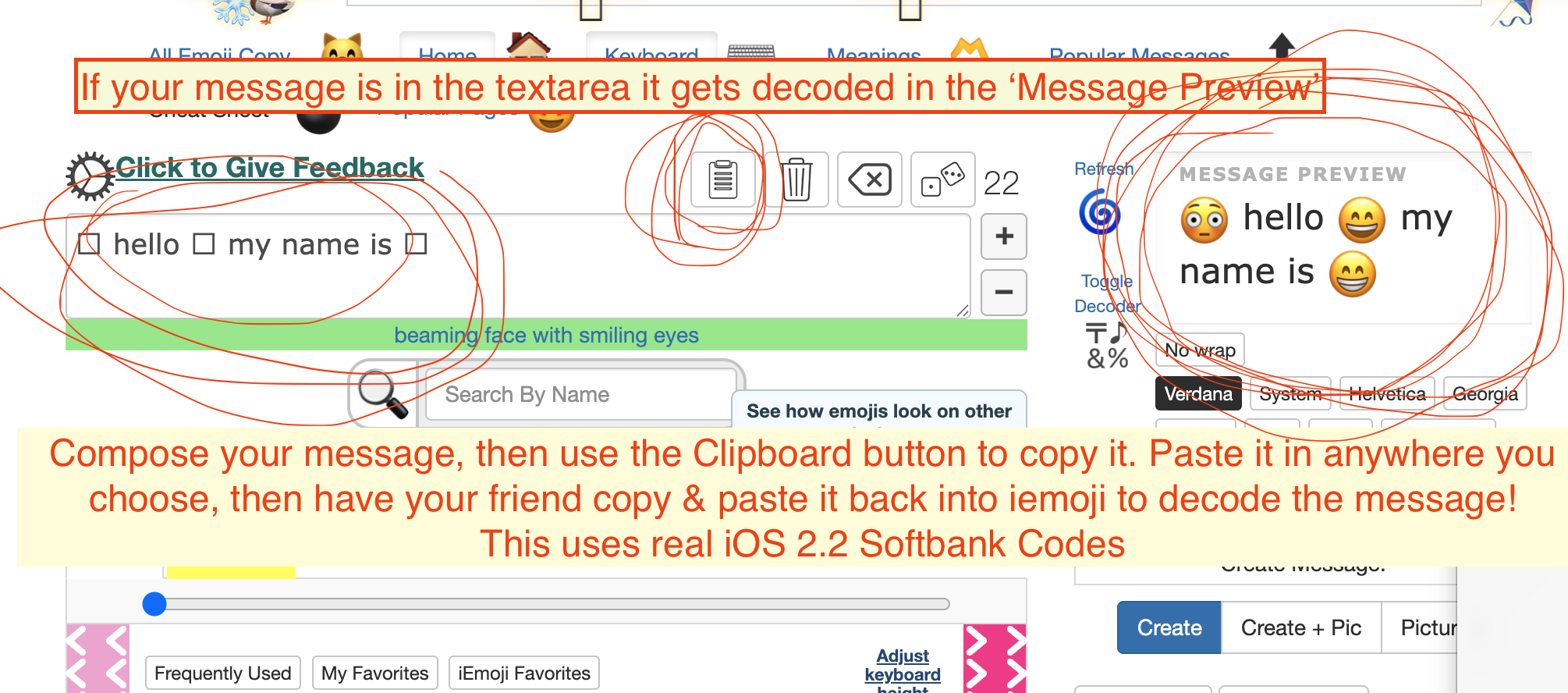
Compose your message, then use the Clipboard icon button to copy it. Paste it anywhere you choose, then have your friend copy and paste it back into iEmoji to decode the message.
If your message is in the textarea, it gets decoded in the Message Preview. This uses real iOS 2.2 Softbank Emoji Codes.